Decompiling a delisted mobile app into a web app
Recovered the undocumented Bluetooth protocol of a discontinued instant camera from its shipped apps, then rebuilt its companion app as a web page that controls the real camera.
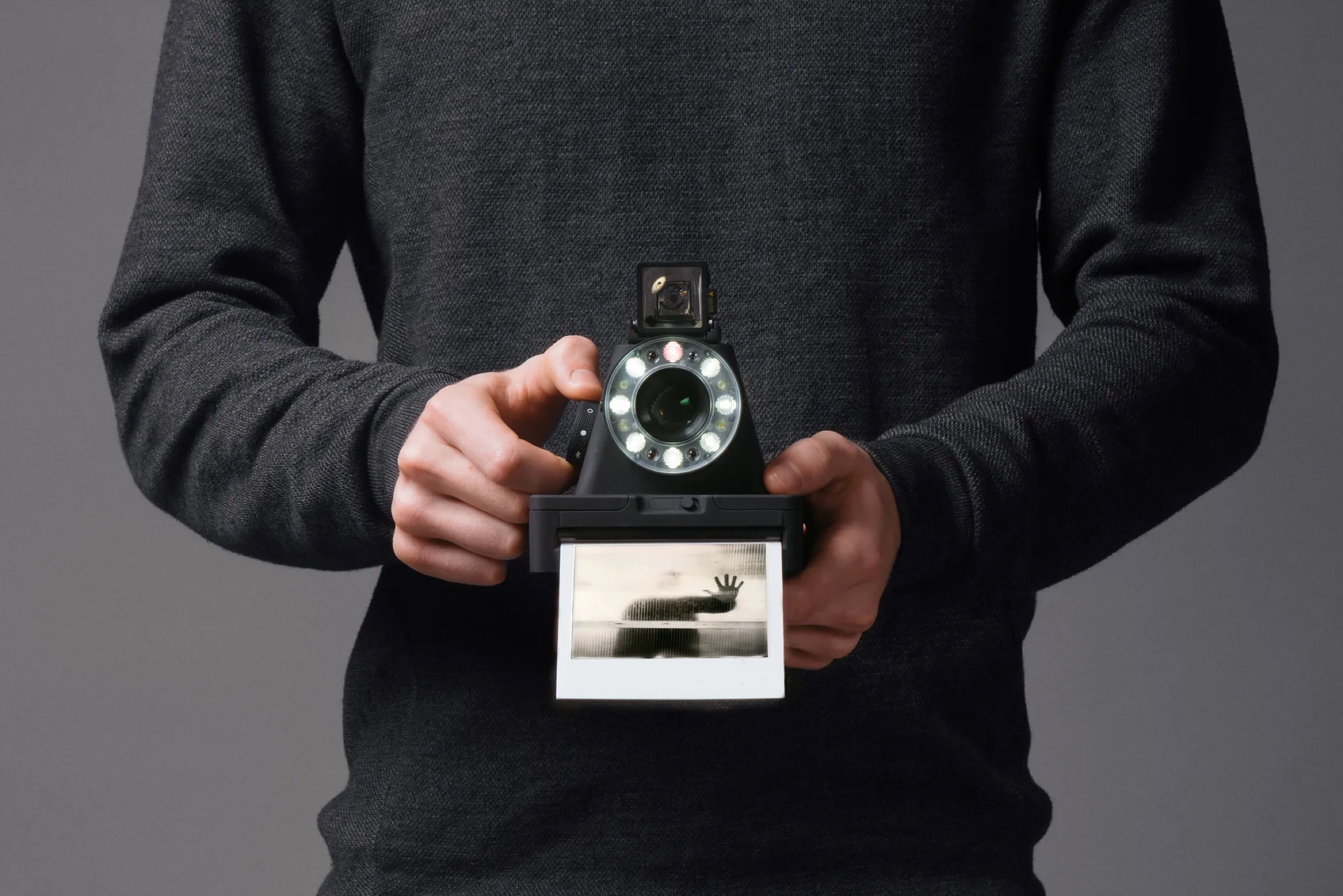
Photo: © 2016 Teenage Engineering
The challenge
The Polaroid I-1 is an instant film camera that is controlled from a companion app over Bluetooth Low Energy: focus, shutter, exposure and flash. The companion app, only way to access most of camera features was delisted from the store in 2025. Anyone who owned one was left with a camera that could no longer be fully used.
The Bluetooth protocol was never published. My goal was to rebuild the app as a plain web page that talks to the real camera from the browser. It needed no native app, no backend and no store install.
Two builds, two different problems
I started from the two shipped builds of the official app. Each one revealed a different half of the picture, because Apple encrypts App Store binaries and Android does not.
iOS: the shape, not the substance
The iOS code is protected by Apple’s DRM, so tools return garbage on it. The Swift symbol table sits outside the encrypted region, though. Reading it recovered the names of the message types and their fields, but none of the actual values. It told me what the protocol talks about, not how it says it.
Android: the whole protocol, in the clear
Decompiling the Android build with jadx produced readable source. It gave me the real Bluetooth identifiers, the exact message framing and byte-level layout for every command, and the camera’s focus calibration. Even after code minification, a Kotlin quirk leaked the original field names, which turned an anonymous layout back into a labeled one.
In short: the iOS build told me what to look for, and the Android build told me exactly what it was.
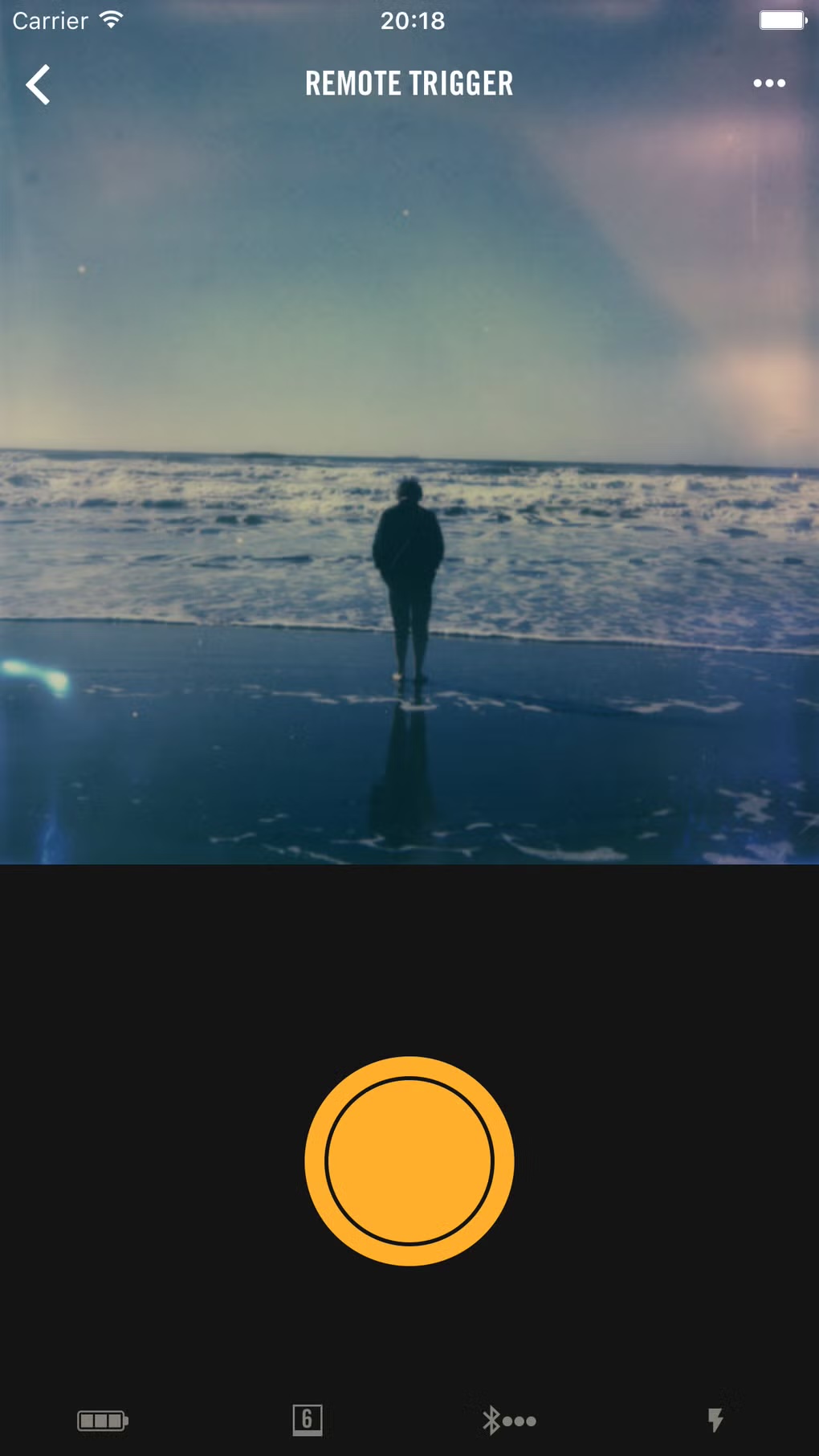
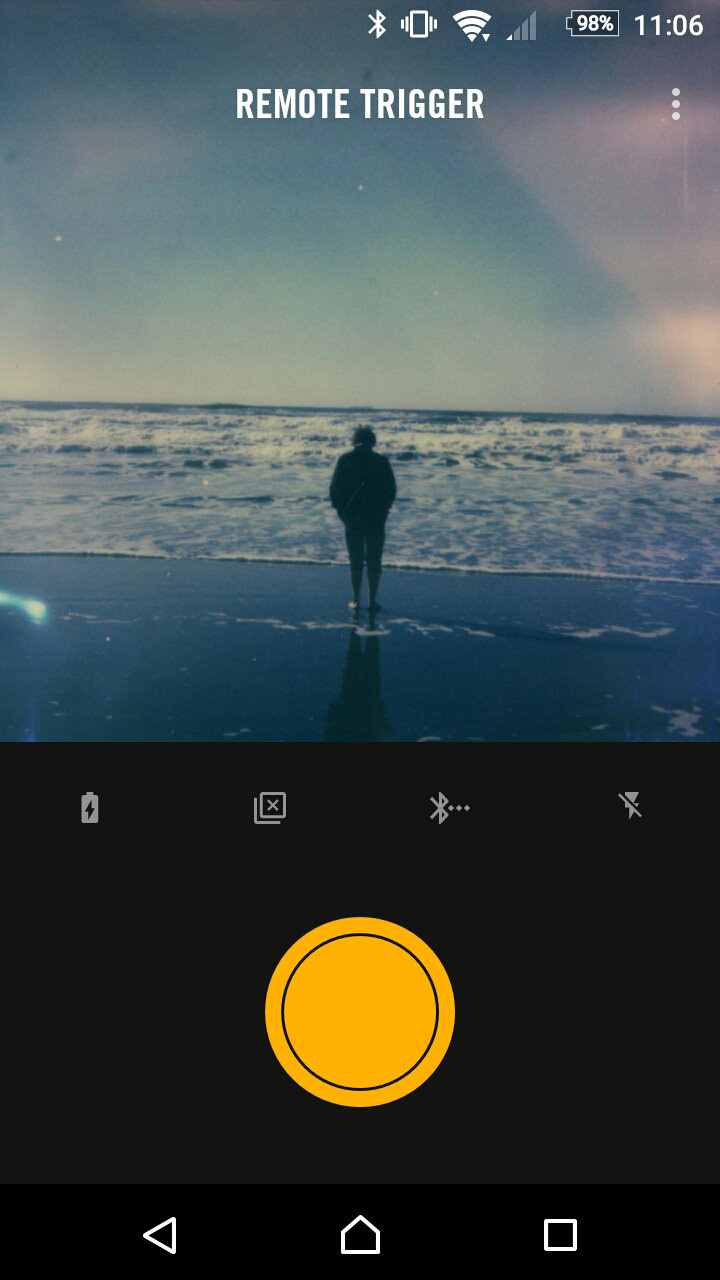
Photo in both screens: © 2016 Oskar Smolowski
Decoding the protocol
The camera uses a common serial-over-Bluetooth pattern, with its own small command language layered on top. Every message has the same short header, and all multi-byte numbers are little-endian. I mapped nine commands, such as status requests, manual exposures, long exposures and eject, and five camera responses, including live status and exposure confirmations.
The decoded data included the real focus zones, from macro at 0.3 to 0.5 m out to far at 4.5 m and beyond, and the light-meter gain levels. A few details are still unconfirmed, such as the exact battery voltage scale and the infrared ranging formula. None of them blocks controlling the camera.
The web app
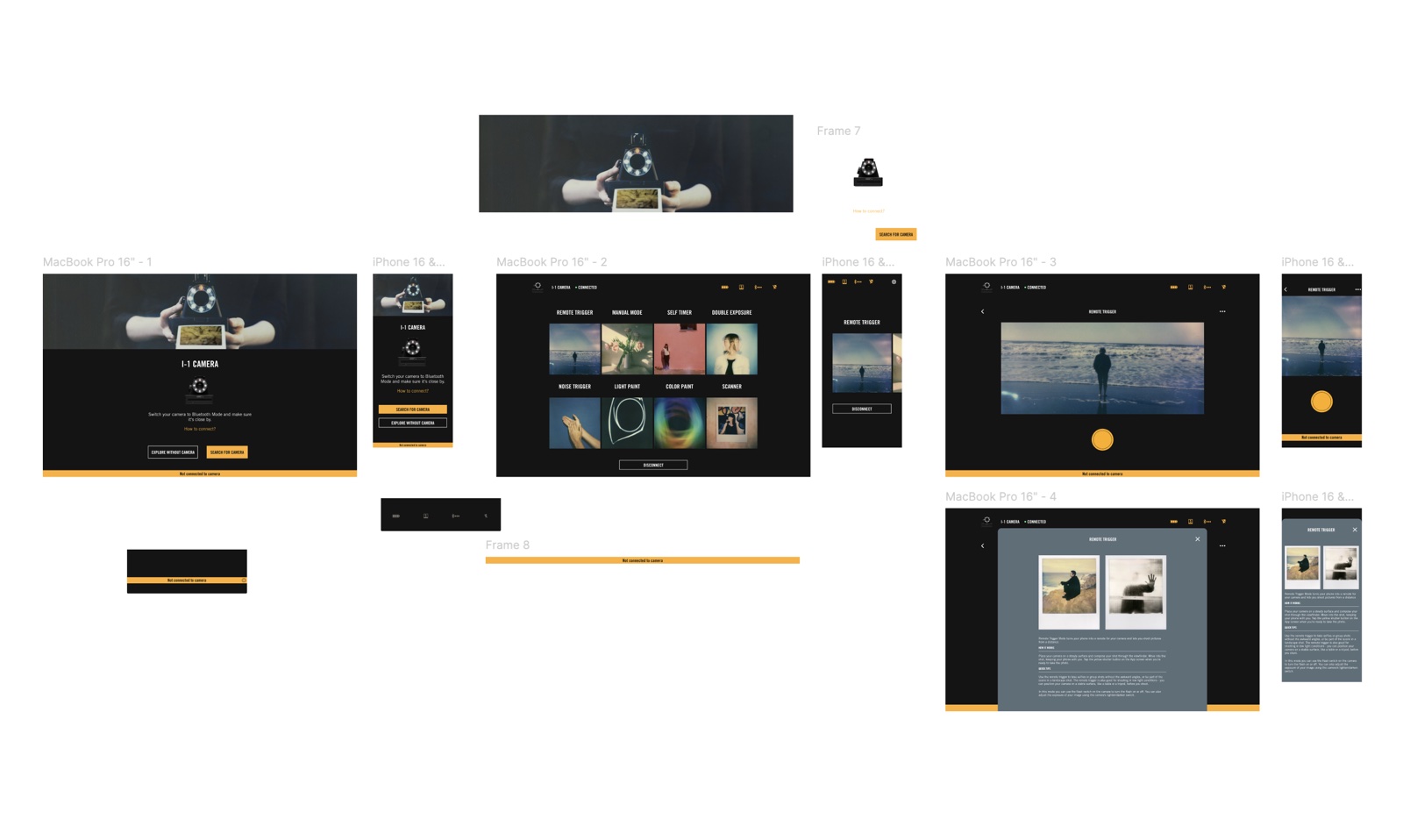
The result is plain HTML, CSS and JavaScript with no build step, using the browser’s Web Bluetooth API. It has four screens:
- Connect: search for the camera, or explore with a simulated one.
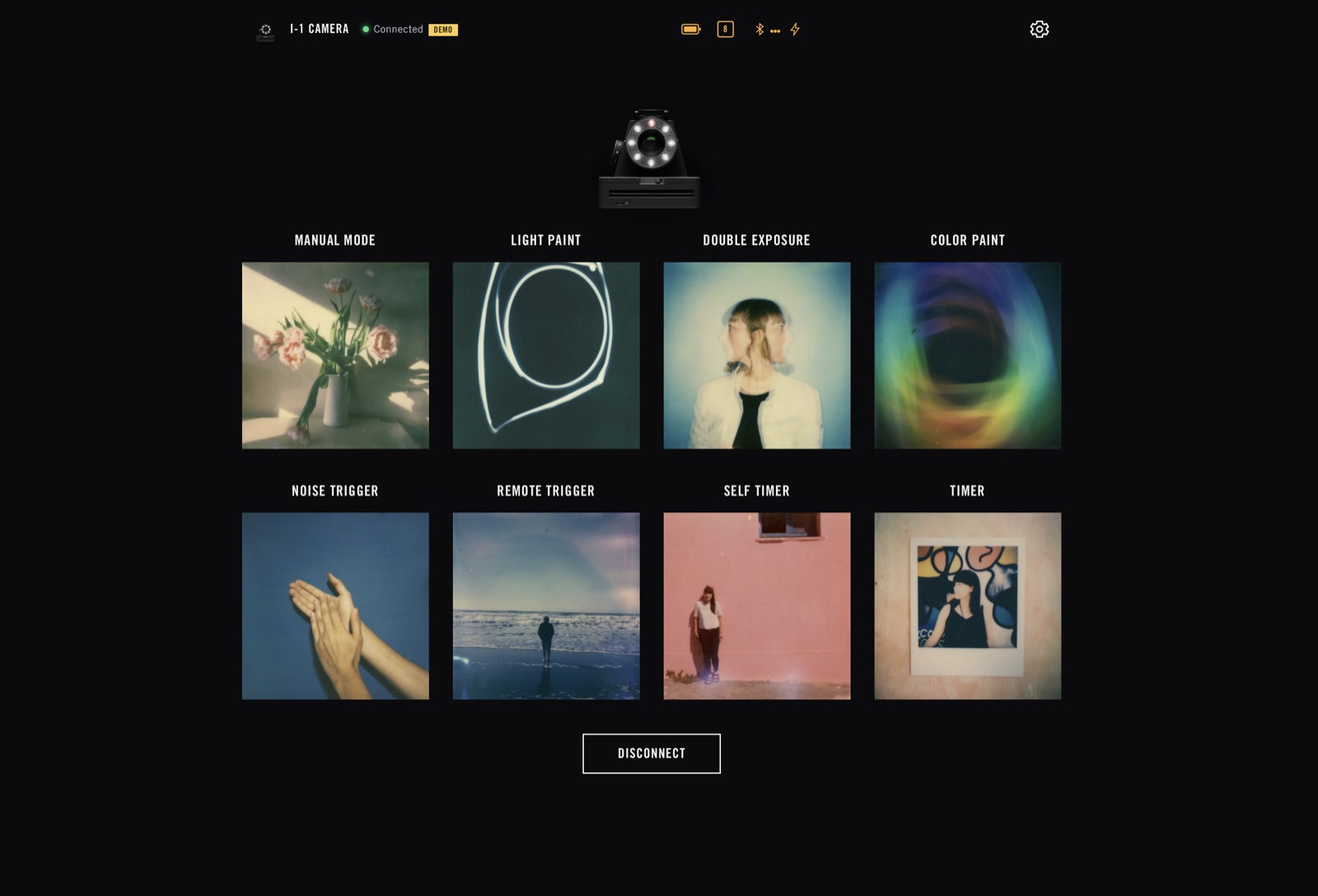
- Home: a mode grid with a live status bar for battery, film count, Bluetooth and flash.
- Manual mode: the most complex screen, with a square viewfinder, draggable aperture and shutter rulers, a live exposure indicator, and focus and flash controls.
- Remote trigger: a simple mode with a shutter button and an event log.
A protocol module implements the decoded wire format exactly. A matching simulated transport lets the whole interface be built, demoed and tested without the camera, and it takes over automatically on browsers without Web Bluetooth, such as Safari on iOS.
Recreating the UI
I rebuilt the interface by matching it against screenshots of the original app instead of reinterpreting it. The goal was that someone who knew the old app would feel at home in the new one.
- Color: the app’s exact yellow accent, #FFAF2C.
- Type: condensed, uppercase titles with regular-weight body copy, in the style of the original.
- Shape: sharp, unrounded corners on photos and cards, as in the source app.
- Viewfinder: a square, instant-film-proportioned frame instead of an arbitrary aspect ratio.
Problems found and fixed
The camera connected, then dropped a second later
Comparing against the official app showed it reads the firmware version and sends a pairing request before treating the link as established. My app skipped that handshake, so the camera silently dropped the connection.
Only some of the ring flash fired
The exposure command has two separate flash-power values, and I was setting only one of them to full power.
Images and fonts would not load in the browser
The recovered images used a non-standard Apple compression that no browser can decode, and the fonts had a broken table that Chrome rejected. I re-encoded the images and rebuilt the font tables so they render correctly.
The exposure needle floated between ruler marks
The indicator moved freely while the ruler only draws marks at fixed steps. Snapping it to the same tick grid fixed it.
Result
- The full Bluetooth protocol decoded from the vendor’s own shipped code.
- A working web app that connects to the real camera, reads live status, fires a manual exposure with the chosen focus, aperture, exposure time and flash, and receives the camera’s confirmations, all from a browser tab.
- The camera works again for anyone who owns one, with no store listing needed.