Designing AI for benchmark-led marketplace copy
A working prototype of an AI writing assistant for marketplace sellers. It reviews a listing against top sellers, flags weak bullet points and helps rewrite them, with a real model running entirely in the browser.

The challenge and the pivot
Sellers on Amazon often write vague bullet points. Contendify started as a design challenge: compare a listing with the category’s top sellers, find what drives their conversions, and propose copy that helps a seller compete. I developed it into a working prototype with a real model behind it, so people could type anything, and with no backend, so it is easy to share.
Seller edits only show what people guessed, not what converts.
The moment
One decision: a seller reviews an AI improvement of a single bullet and accepts it, keeps the original, or steers it by chatting. Everything else supports that moment.
Dead end
My first concept only auto-reverted seller edits to the approved copy. It had no judgement or human refinement in it, so there was no real moment to design.
Pivot
I rebuilt the concept around benchmarking against the competition, which connects directly to conversion. I mapped it in Miro, explored it with Claude Design and polished it in Figma. In production, the AI would benchmark the five best sellers and apply brand and tone guidelines, with its reasoning kept behind an info icon.
Teaching, not fighting
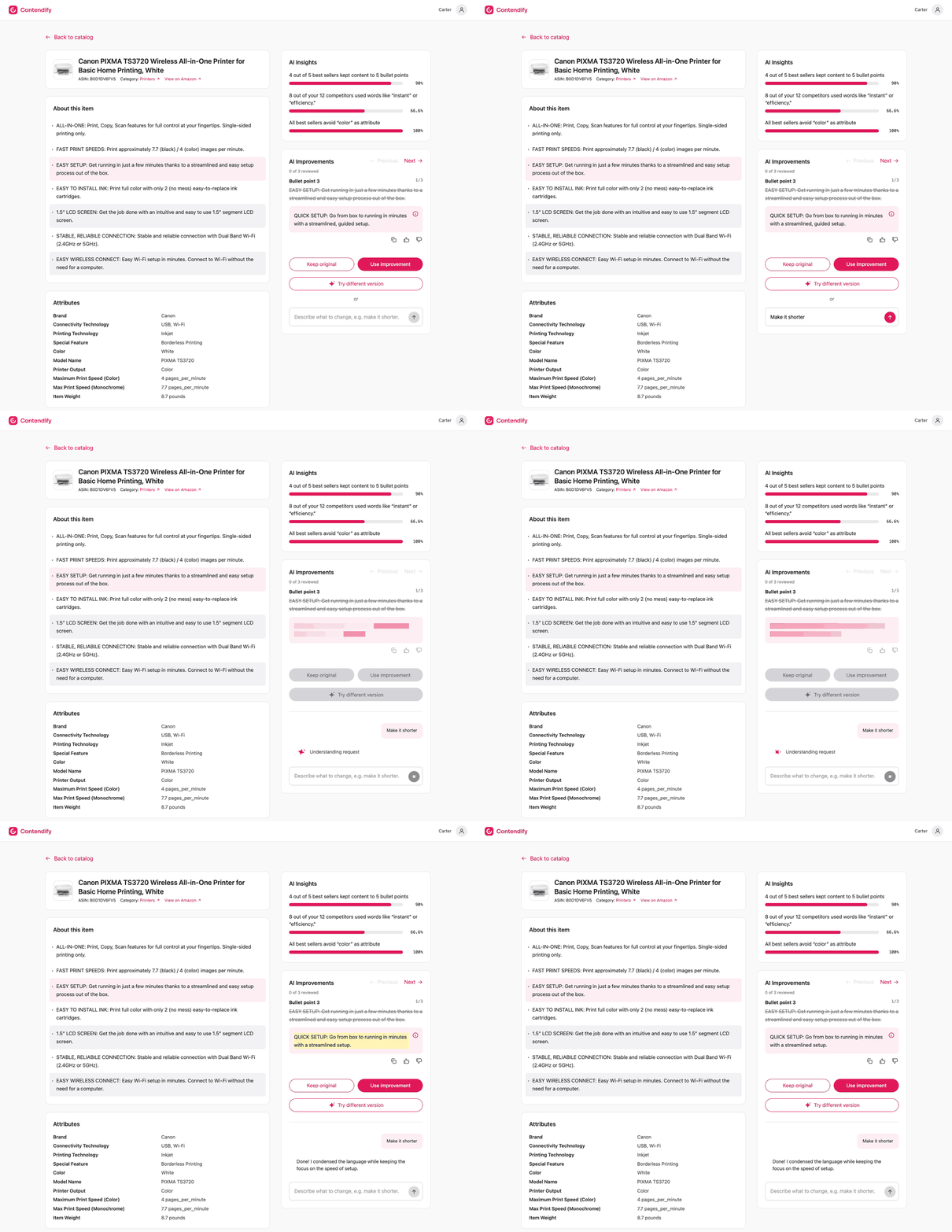
The seller can ask for a different version or describe a change in their own words, and the AI agrees and rewrites.
The experience
1. The listing
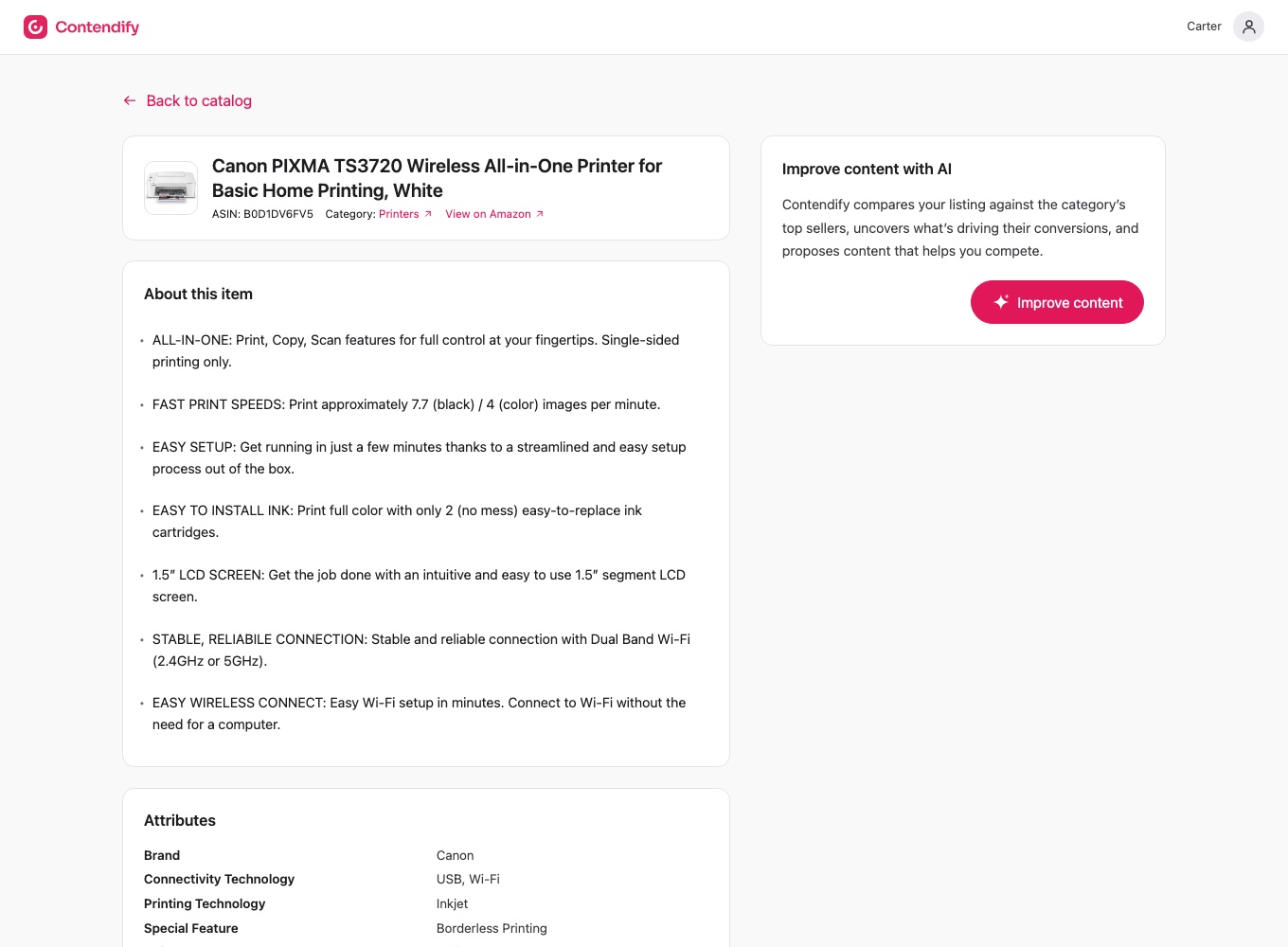
An Amazon-style product page with the product card, an “About this item” list of seven bullets, an attributes table, and an “Improve content with AI” card with an “Improve content” button.
2. Scanning
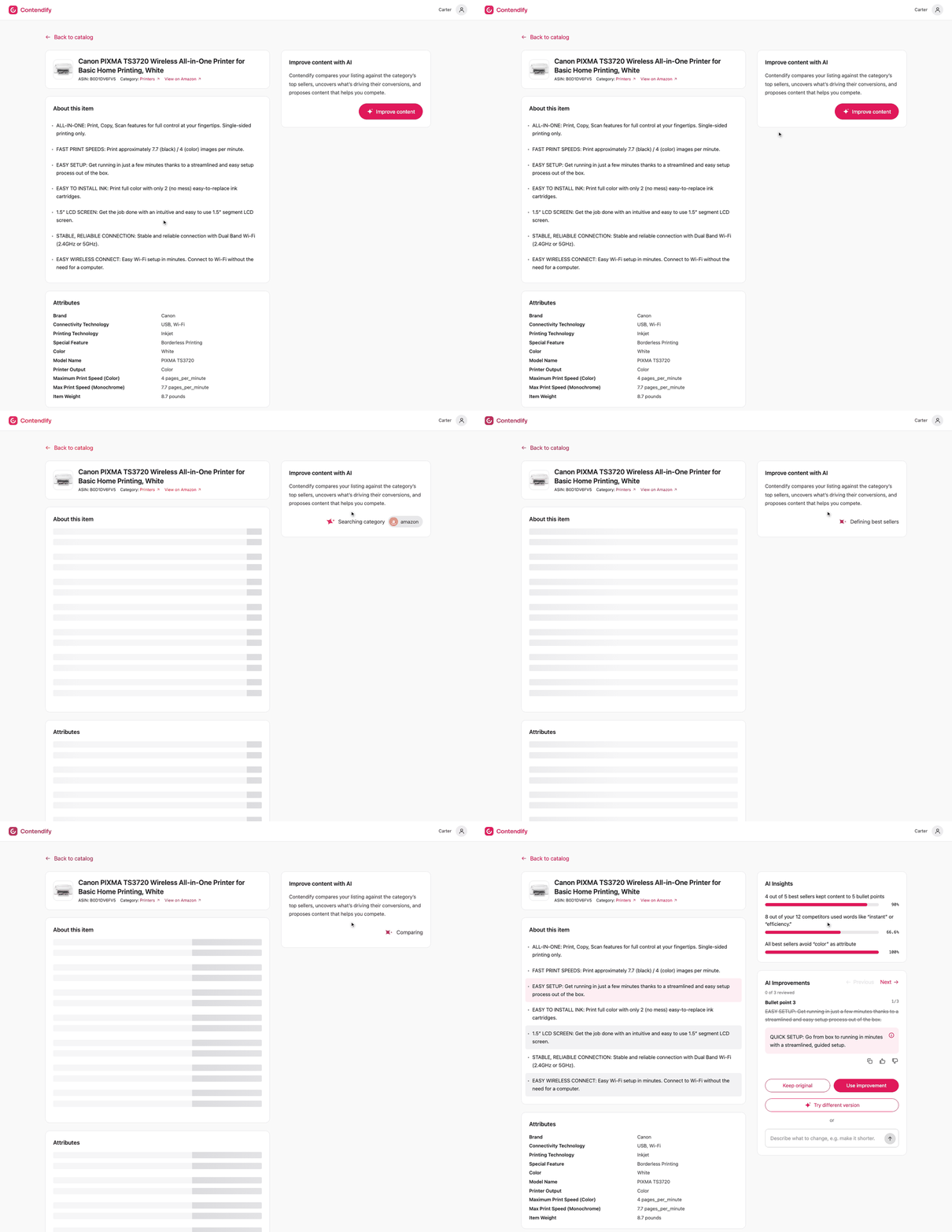
After the click, the listing turns into shimmering placeholders for about 7.5 seconds while the card cycles through five messages: searching the category, benchmarking the competition, defining best sellers, analyzing content, and comparing.
3. Results
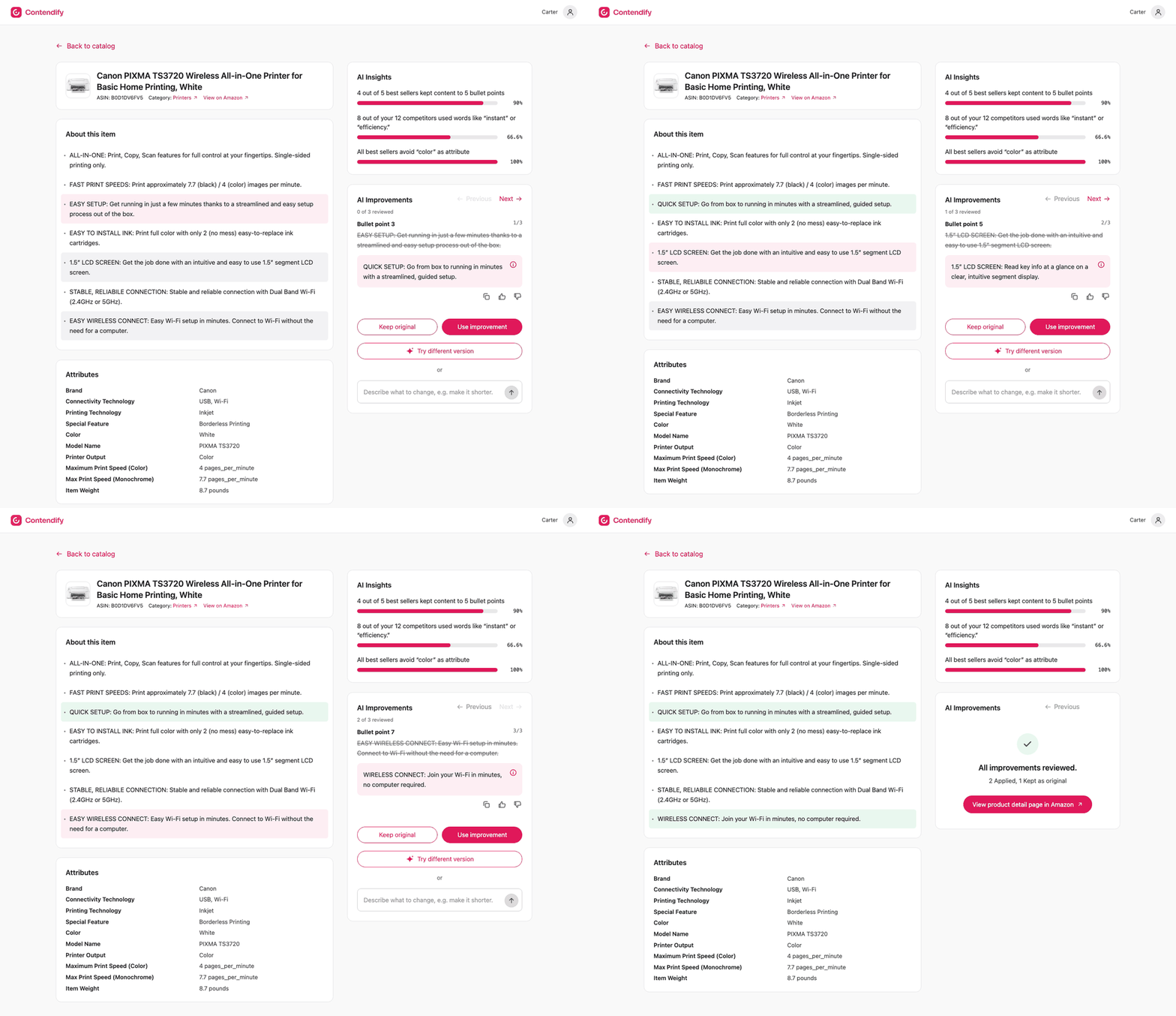
Three of the seven bullets are flagged. An insights panel shows statistics about the category’s best sellers. An improvements card has one page per flagged bullet, with the original struck through and the AI’s suggestion beside it.
For each bullet, the seller can use the improvement, keep the original, ask for a different version, or describe a change in their own words, such as “make it shorter”. When all three are decided, a summary page leads to a copy of the Amazon product page with the applied bullets in place.
Design decisions
A real, on-device model instead of scripted replies
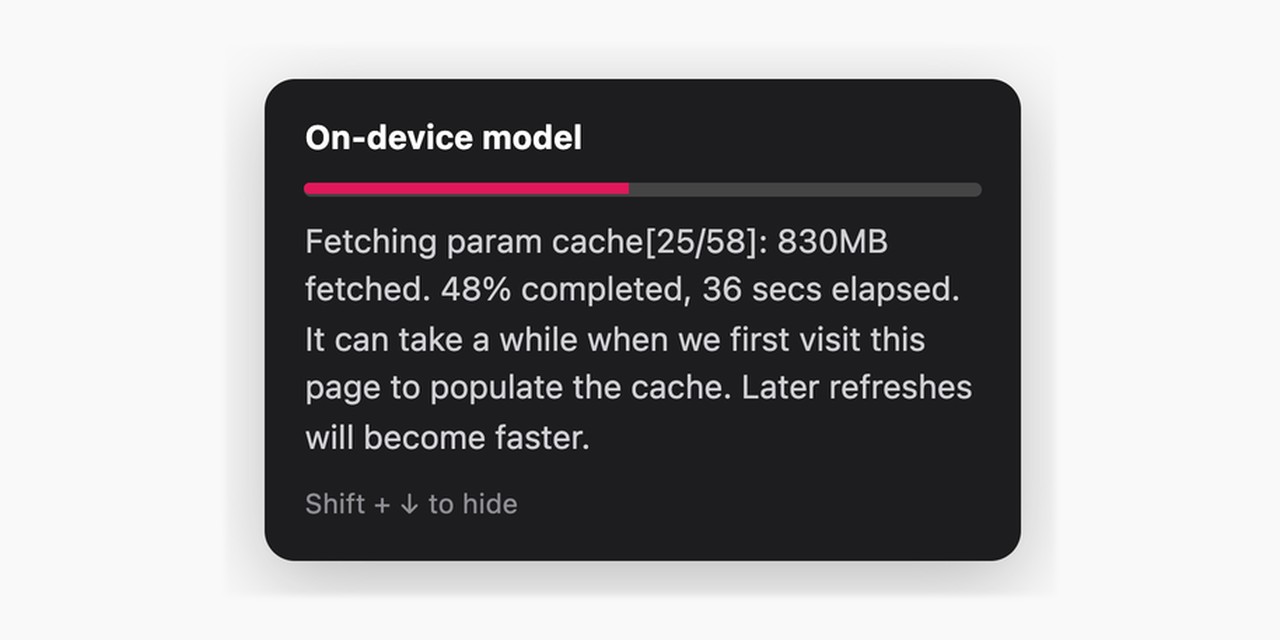
Early in planning, the AI suggested pre-written replies matched by keyword. I said no: I wanted users to write whatever they wanted. That committed the project to a real model. The cost was a large first download, desktop-only support and a smaller model.
A decision per bullet, with an explicit “Keep original”
Without it there was no way to say no, and a bullet could never be finished. It also makes the “N of 3 reviewed” counter and the summary page possible.
Disable, don’t hide, after a decision
Hiding the controls would make the card jump and would hide that refining exists. Disabled controls keep the layout steady and give the “Change” link a clear meaning.
Hide the wait
The model starts loading the moment the page opens, people can type while it loads, and stage labels cover generation time. The suggestion box keeps its height while loading, so nothing jumps.
An end state
The summary page and the button to the Amazon page give the flow a clear finish and a payoff.
What the prototype shows
- A real AI model can power a designed product feature entirely in the browser: no server, no API key and nothing to maintain.
- The whole flow works end to end, from the benchmark scan to a decision on each bullet and an applied result on the product page.
- A small model becomes dependable when the output format, the waiting states and the failures are designed, not just the happy path.
- It went from a planning chat to a deployed prototype in about three days.
How it works
Plain HTML, CSS and JavaScript, with Llama 3.2 3B running in the browser through WebLLM and WebGPU. The model answers in a fixed two-line format, so the interface never breaks on a bad reply, and one decision value per bullet drives the highlights, the controls and the summary.
Process and tools
I mapped the concept in Miro, explored the design direction in Claude Design, and refined the UI in Figma. A planning chat with Claude produced a project brief. The refined screens and that brief fed Claude Code, which built and tested the prototype from them and my feedback. It is hosted on Cloudflare. I defined the product, the experience and the AI’s behavior, and made every design decision. Claude Code wrote and tested the code.
The prompt that shaped the flow: “page does not change unless user clicks on ‘Improve content’… AI improvements is where the magic happens.” The scan steps became the processing state, and the insights moved to the results.
A hard bug: model downloads failed only on the deployed site, because Hugging Face rejects a workers.dev referrer. I supplied the network log, Claude replayed the requests to find the cause, and a no-referrer policy fixed it.
Limits and honest caveats
- The competitor scan, its messages and the three insights are fixed text written for the demo. Only the bullet suggestions and the chat come from the model.
- The info balloon says suggestions draw on competitor analysis, brand guidelines and past refinements. That is design intent, not what the prototype actually does: it adapts only within the conversation.
- The model is mid-sized. Its wording is decent but not perfect, and it sometimes leaves a bullet unchanged.
- It needs WebGPU, so it works in desktop Chrome or Edge with graphics acceleration, and not on most phones. The first visit downloads about 2 GB.
- The Amazon page is a frozen snapshot from 1 October 2026, with Amazon’s scripts removed. It is a modified demo copy, not the real listing.
What I’d do next
A real competitor benchmark behind the scan, a stronger hosted model, per-seller brand and tone settings, and testing with sellers.